
Solar Inverter Red Light & Error Codes: What They Mean
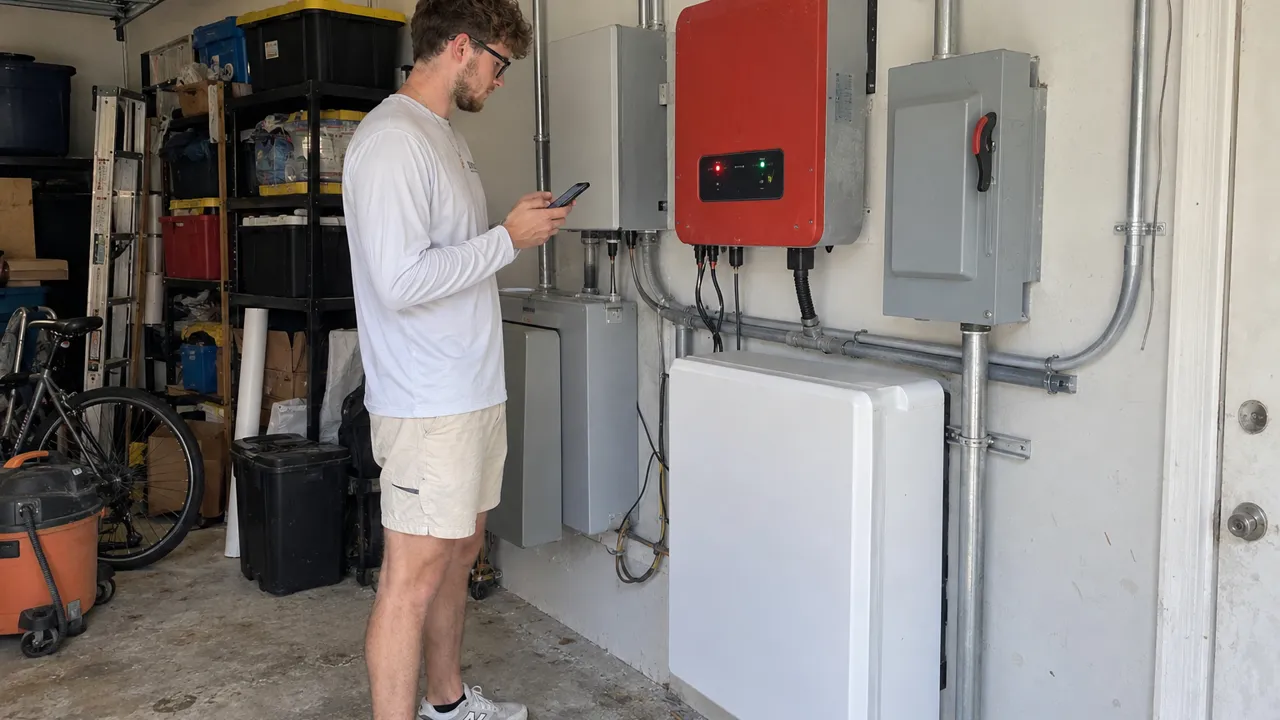
AI-generated image
Want a pro to take a look? Call (407) 270-2542 or request a free quote.
- A green light means normal. Red or amber means a fault has stopped or cut output.
- Common faults: grid fault, high voltage, ground or isolation fault, arc fault and lost data link.
- Enphase shows status in the app and on the IQ Gateway. SolarEdge shows codes on the inverter and in the app.
- Never keep resetting a ground or arc fault. It can point to a real safety issue.
- Florida lightning and grid swings trigger short-lived faults. A code that keeps coming back needs a diagnostic.
What does a red light on my solar inverter mean?
The inverter is the brain of the system. It turns panel power into power your home can use, and its status light is the fastest check on its health. Green means it's running normally. A red or amber light, solid or flashing, means it faulted and either stopped or cut back its output.
A flashing light can also just mean it's starting up in the morning or showing a warning. What it means depends on the brand and the code behind it.
The key point is that the light is a symptom, not a diagnosis. Behind it sits an error code that tells a technician what really happened. This post is part of our solar maintenance and repair guide, and it pairs well with why did my solar panels stop producing.
The most common solar inverter error codes
Whatever the brand, most faults fall into a few groups:
- Grid or AC fault. The utility's voltage or frequency drifted outside the safe range, so the inverter disconnected. This is common after a flicker or an outage.
- Over-voltage. Grid voltage is running high, which can happen on long lines or when nearby homes use little power. The inverter cuts back or shuts off to protect itself.
- Ground fault or isolation fault. Current is leaking where it shouldn't, often from moisture or damaged wire covering. This one matters for safety.
- Arc fault (AFCI). The inverter sensed an electric spark, usually from a loose or rusted plug.
- Communication fault. The inverter works, but it lost its data link, so your monitoring app goes blank.
Some of these, like a brief grid fault, clear on their own once things settle. Others, especially ground and arc faults, should never be reset over and over.
Enphase microinverter status and fault lights
Enphase systems don't have one big inverter. Each panel has its own small microinverter, and the IQ Gateway (once called the Envoy) collects their status. You read faults in the Enphase app, not on a screen.
A failed or silent microinverter shows up as one panel offline while the rest keep working. So you see a partial drop, not a total blackout. A red light on the gateway itself usually means a power or data problem with the gateway, not the panels.
Because each unit works alone, an Enphase fault is often limited to one microinverter. That costs less to fix than a whole-inverter failure. It still takes a proper diagnosis to confirm which unit failed and why.
SolarEdge inverter error codes
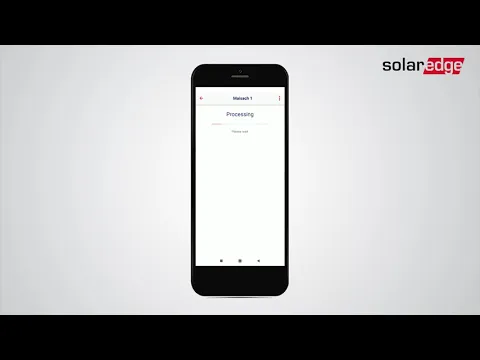
SolarEdge uses one central inverter with a power optimizer on each panel. The inverter has a screen and status lights, and it shows numbered error codes with a short description in the mySolarEdge app. Common ones are grid errors (voltage or frequency out of range), isolation or ground faults, and optimizer errors where the inverter can't see one or more panels.
One optimizer dropping off looks like lower output, while an inverter-level fault stops the whole system. As with Enphase, a short grid code may clear. A repeating isolation or arc code means something real is wrong.
Other brands: SMA, Tigo and Sol-Ark
SMA, Tigo, Sol-Ark and Tesla gear each use their own lights and codes. The same groups of faults apply, though. Service Solar Pros services SMA, Tigo and Sol-Ark inverters along with Enphase and SolarEdge.
Which faults can I clear myself, and which need a pro?
Safe to try once: if the code is grid-related and the light went red right after a storm or outage, you can restart the inverter. Follow the shutdown steps in its manual, using only the outside switches. Never open the inverter or any electric box. If it comes back green and stays green, the grid event was the cause.
Don't keep resetting: a ground fault, isolation fault or arc fault points to moisture, damaged wiring or a bad plug. Those can get worse or become a fire risk. Clearing them over and over just hides the problem. The same goes for any code that returns within minutes of a reset.
Inverter fault: what to do and avoid
- Keep resetting a ground, isolation or arc fault
- Open the inverter or any electric box
- Ignore a code that keeps coming back
- Restart once if a grid code followed a storm
- Use only the outside switches, per the manual
- Call a pro if it won't clear after one restart
The takeaway: A one-time red light after a storm is often nothing. A code that keeps coming back, or any ground or arc fault, needs a pro.Service Solar Pros
The Florida angle: lightning, heat, and grid swings
Central Florida gets frequent lightning, and summer storms send voltage spikes and grid flickers through neighborhoods. That sets off many short-lived grid and over-voltage faults. They clear once the grid settles, so they are annoying but not damage.
The flip side is that repeated surges and strong heat wear out inverter electronics sooner. Damp air also drives moisture-related isolation faults. So a one-time red light after a storm is often nothing, but a code that keeps coming back deserves a look before it becomes a dead inverter.
After a hurricane or big storm, we check the system with thermal imaging (a heat camera) and test meters. We service inverters across Orlando, Kissimmee and the counties around them.
When to call for an inverter diagnostic
Call a pro in any of these cases:
- A fault won't clear after one restart.
- You see a ground, isolation or arc fault.
- The same code keeps coming back.
- You can't tell what the code means.
We read the fault history, test the strings and plugs, and confirm the real cause before we quote anything. We work on any brand and any installer's system, even if your first company is gone. If the inverter is under warranty, we help with the claim.
Start with a professional inverter diagnostic, request a free quote, or call (407) 270-2542.
Frequently asked questions
What color should my solar inverter light be?
Can I reset my solar inverter myself?
What is a ground fault or isolation fault on a solar inverter?
Why does only one of my solar panels show as down?
Do Florida storms cause inverter error codes?
Will a red inverter light show in my monitoring app?
Related reading
Next step: see our solar panel repair service, or read a related guide:
Serving solar owners across Central Florida
We clean, repair, maintain and protect solar systems throughout the region — any brand, any installer. Find your town:
Need a hand with your solar?
Service Solar Pros — any brand, any installer, across Central Florida. Call (407) 270-2542.
Get a free quote